SmartLife Sisäkamera | Wi-Fi | HD 720p | Kääntö/kallistus | MicroSD (ei sisälly) / Pilvipalvelutallennus (valinnainen) | Liiketunnistimella | Yökuvaus | Harmaa / Valkoinen


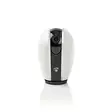
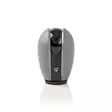


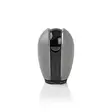


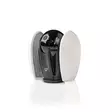





Nedis Smart Home IP -Kamera on tärkeä lisä jokaiseen älykotijärjestelmään. Siinä on panorointi- ja kallistustoiminto, minkä ansiosta näet koko huoneen. Langaton, ohjattava turvakamera... Lue lisää
54,90 €
- Tuotenumero: 5412810290109
- Toimittajan tuotenro: WIFICI20CGY
- Väri: Valkoinen
- Korvaava tuote: 550776358
kpl
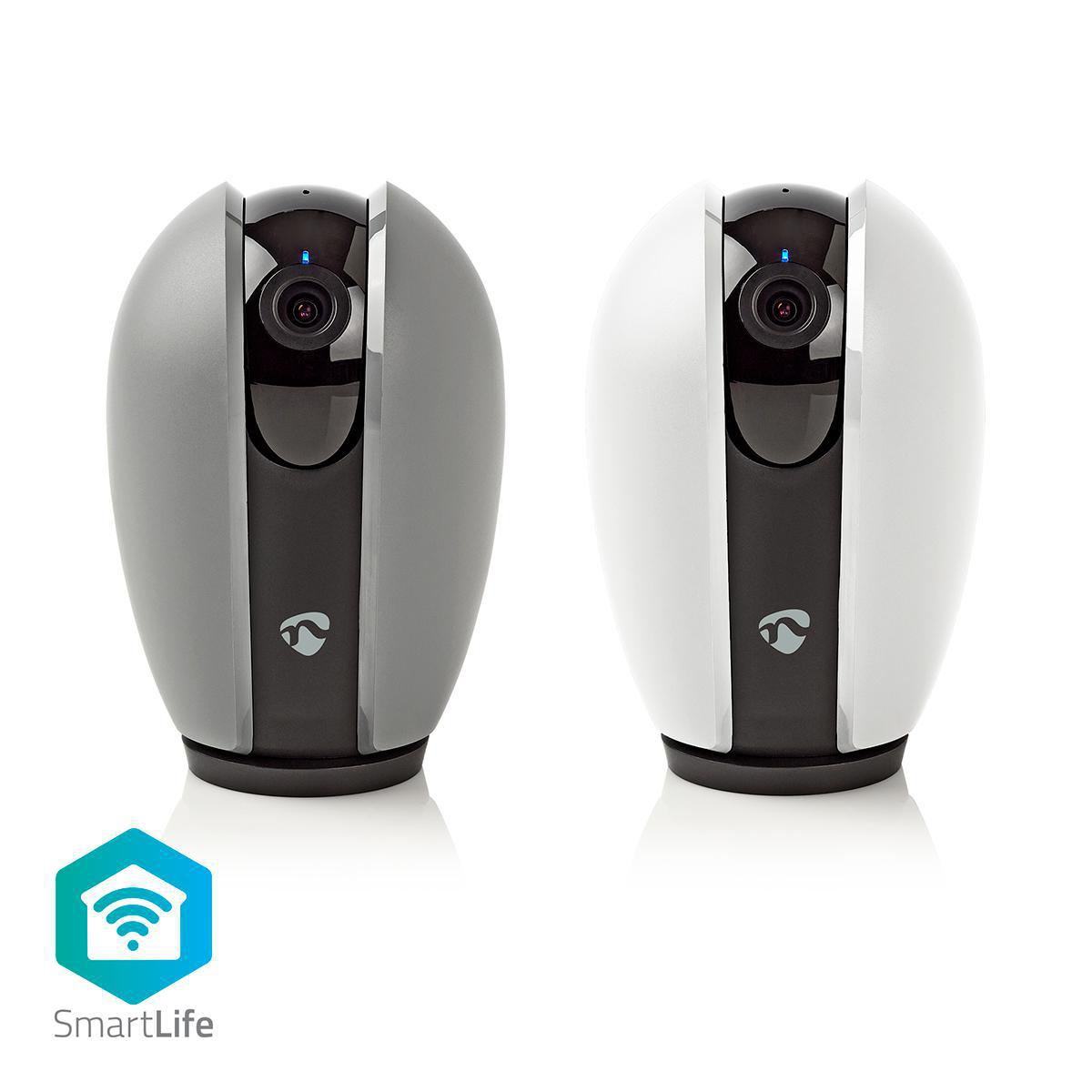
Nedis Smart Home IP -Kamera on tärkeä lisä jokaiseen älykotijärjestelmään. Siinä on panorointi- ja kallistustoiminto, minkä ansiosta näet koko huoneen.
Langaton, ohjattava turvakamera yhdistyy suoraan kotisi Wi-Fi-verkkoo ilman lisäliitäntää ja se aktivoituu heti, kun huoneessa havaitaan liikettä tai ääntä.
Smart IP -Kamera
Kodin automaatiosta tuli juuri helpompaa. Helppokäyttöisen kameran voi yhdistää vaivattomasti olemassa olevaan Wi-Fi-verkkoon valvomaan huoneita äänen ja liikkeen varalta.
HD-videotarkkuus (1 280 x 720 pikseliä) takaa kuvien täydellisen selkeyden. Lisäksi kamera on yhtä tehokas myös yöllä, sillä siinä on yökuvaustila, jonka kantama on 10 metriä.
Kamera tukee jopa 128 Gt:n microSD-muistikortteja (eivät sisälly toimitukseen) kuvien tallentamista varten. Sen tyylikkään ja kompaktin muotoilun ansiosta sen voi asettaa lähes minne tahansa huoneessa ja se tallentaa videoita 110 asteen katselukulmasta, kun 1/4 tuuman CMOS-anturi aktivoituu.
Panorointi- ja kallistustoiminnon ansiosta voit tarkkailla suurempaa aluetta ohjaamalla kameraa älypuhelimellasi tai tabletillasi.
Nedis SmartLife
Laaja ja jatkuvasti kasvava tuotevalikoima, joka sisältää muun muassa polttimoita, kytkimiä, pistorasioita, antureita ja kameroita, joita voi hallita helppokäyttöisellä sovelluksella.
Etsitpä sitten yksittäistä älypolttimoa tai -pistorasiaa tai haluat automatisoida koko kotisi, valikoimastamme löydät tarvitsemasi älyteknologian.
Käyttäjän on noudatettava voimassaolevia lakeja ja säädöksiä, ja huomioitava, että nämä voivat rajoittaa kameralla sallittavaa kuvattavaa materiaalia ja sen käyttöä.
Ominaisuudet:
• Smart IP -Kamera aktivoituu automaattisesti, kun huoneessa havaitaan liikettä tai ääntä
• HD-videotarkkuus takaa kristallinkirkkaan kuvanlaadun
• Helppo yhdistää suoraan Wi-Fi-verkkoon, ei vaadi erillistä liitäntää
• • Kaksisuuntainen yhteys, joten voit kuulla huoneessa olijat ja puhua heille
• Sisältää seinä- ja kattoasennuksen, joten se on helppo kiinnittää heti
• Tukee täysin kaikkia Nedis® SmartLife -valikoiman tuotteita.
Pakkaussisältö:
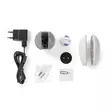
IP camera
Alternative coloured cover
USB cable
Power adapter
Camera mount
Adhesive pad
Quick start guide
Tuotteen tekniset tiedot:
Tarvikkeet: Kameran Asennusteline
Tarvikkeet: Verkkosovitin EU-Pistoke
Tarvikkeet: Itsestäänkiinnittyvä lätkä
Tarvikkeet: USB-kaapeli
Sovellus saatavana kohteeseen: IOS
Sovellus saatavana kohteeseen: Android
Sisäänrakennettu mikrofoni: Kyllä
Pilvipalvelutallennus mahdollisuus: Kyllä
Väri: Harmaa
Väri: Valkoinen
Sopii käytettäväksi: Nedis® SmartLife
Laitteen tulovirran liittimet: Micro USB
Kuvapiiri: 1/3" CMOS
Tulovirta: 1.0 A
Tulojännite: 5 V DC
Integroidut kaiuttimet: Kyllä
LED: 1
Linssi: 4.0 mm
Materiaali: Muovi
Maksimi virrankulutus: 4.5 W
Maksimi kuvantarkkuus: HD 720p
Maksimi lähetysantennin vahvistus: 3 dBi
Maksimi lähetysteho: 18.5 dBm
Megapikselit: 1 MPixel
Yökuvaus: 10 m
Pakkauksessa olevien tuotteiden määrä: 1 kpl
Toimintalämpötila-alue: 0 - 50 °C
Kääntö/kallistus: Kyllä
Virtakaapelin pituus: 2.00 m
Virtakaapelin pää A: USB
Virtakaapelin pää B: Micro USB
Virtapistoke: Euro
Virtalähteen tyyppi: Verkkovirtakäyttöinen
Tallennustyyppi: MicroSD (ei sisälly)
Tallennustyyppi: Pilvipalvelutallennus (valinnainen)
Tuettu langaton tekniikka: Wi-Fi
Lähetystaajuuden alue: 2400 - 2483.5 MHz
Katselukulma: 110 °
Liiketunnistimella: Kyllä
Product attachment: http://www.youtube.com/watch?v=WjYzeIAgjhA
Product attachment: http://www.youtube.com/watch?v=c8r2AaxTTU0
Video: http://www.youtube.com/watch?v=Xwzu0InWjCA
Product attachment: http://www.youtube.com/watch?v=Gl2heEacBeY
Product attachment: http://www.youtube.com/watch?v=ZgBEet3Miyg
Product attachment: http://www.youtube.com/watch?v=LQgN0HWCHH8
Product attachment: http://www.youtube.com/watch?v=MmPWTXIH2wI
Käyttöohje: http://attachments.content4us.com/datasheets/Nedis%20SmartLife%20Manual%20English.PDF
Product attachment: http://www.youtube.com/watch?v=o7020p5Ju_k
Product attachment: http://www.youtube.com/watch?v=rpBJPBtaGt0
Product attachment: http://www.youtube.com/watch?v=58oOTTR9zRo
Product attachment: http://www.youtube.com/watch?v=SZ4wbBg13W8
Product attachment: http://www.youtube.com/watch?v=62mNCPKJkSI
Product attachment: http://www.youtube.com/watch?v=ThEvVbl0hUQ
Video: http://www.youtube.com/watch?v=7ZtFO3NMYMM
Käyttöohje: http://attachments.content4us.com/datasheets/WIFICI20CGY_MAN_COMP_0818_web.PDF
Product attachment: http://www.youtube.com/watch?v=aJKVLzx7faY
Product attachment: http://productip.com/?f=7D9F9
Tuote-esite: https://datasheets.content4us.com/fi-fi/550681384/portrait
Usein kysytyt kysymykset:
The SD-card does not work in the camera.
Use a Class 10 SD card up to 128GB.
Avoid so called "Ultra" or "Extreme"cards.
These fast cards often have compatibility issues.
Can I give other people access to my Smartlife devices too?
Yes you can.
Each person needs a unique account on their mobile device.
To add them as "family members" follow these steps:
In the main screen of the app tap on the name of your home (top left)
Tap on Home management
Tap on the name of your home again.
Tap on "add family members" and fill in the account details of the person you want to add.
It will give them access to all the devices in your home as a normal member or admin (you can select this)
If you only want to share a single device in a home, go to the settings menu of the device and select "share device" -> add member.
My Smartlife products lose the Wifi connection every time.
This is probably a Wifi problem, this can be for various reasons.
1.) Wifi signal is unstable.
2.) Wifi signal is too weak.
3.) Using an access point with the same SSID and password that do not support the IEEE 802.11R standards.
Problem 1 can often be solved by restarting the router.
Problem 2 can be checked with an app Wifi analyzer with this the signal can be viewed and corrected to a better position.
Problem 3 can be checked as the access points are turned off, the Wifi signal is still good and the connection remains if the access points are a problem, a Mesh solution can then be used.
Please make sure that they support IEEE 802.11R standard.
I get an error that my password or SSID is too long.
You can bypass this error message.
- Click on OK and go on with the installation and follow the instructions.
Because your password or SSID is more than 20 characters, the QR-code that is generated by the app get smaller and it is more difficult for the camera too scan the QR-code.
The chance of errors while scanning are higher.
If the QR-code can't be scanned, you can use the SmartConfig mode.
tap "+" -> camera -> other (top right) -> SmartConfig and follow the steps in the app.
The length of your password/SSID does not matter when using this method.
Does the camera support cloud storage?
Yes, Open te live stream of the camera.
Tap on Purchase VAS.
Here you can subcribe to the cloud storage service.
There is a 30 day free trail you can try.
If I subscribe to the cloud service in the VAS menu, does a single subscription work for all my Smartlife camera devices?
No, it only works for the camera device you have subscribed it with.
The Smart installation method does not seem to work, how do I install it?
In the first screen of the Smart installation, select other on the top right.
Now select QR-Code.
Follow the steps in the app.
The camera will scan the QR code on your phone to install it.
Does it work with Google Home (HUB)?
No, this device is not compatible with Google/NEST Home (HUB)
The videostream is at moment not working with Google/NEST Hub.
Langaton, ohjattava turvakamera yhdistyy suoraan kotisi Wi-Fi-verkkoo ilman lisäliitäntää ja se aktivoituu heti, kun huoneessa havaitaan liikettä tai ääntä.
Smart IP -Kamera
Kodin automaatiosta tuli juuri helpompaa. Helppokäyttöisen kameran voi yhdistää vaivattomasti olemassa olevaan Wi-Fi-verkkoon valvomaan huoneita äänen ja liikkeen varalta.
HD-videotarkkuus (1 280 x 720 pikseliä) takaa kuvien täydellisen selkeyden. Lisäksi kamera on yhtä tehokas myös yöllä, sillä siinä on yökuvaustila, jonka kantama on 10 metriä.
Kamera tukee jopa 128 Gt:n microSD-muistikortteja (eivät sisälly toimitukseen) kuvien tallentamista varten. Sen tyylikkään ja kompaktin muotoilun ansiosta sen voi asettaa lähes minne tahansa huoneessa ja se tallentaa videoita 110 asteen katselukulmasta, kun 1/4 tuuman CMOS-anturi aktivoituu.
Panorointi- ja kallistustoiminnon ansiosta voit tarkkailla suurempaa aluetta ohjaamalla kameraa älypuhelimellasi tai tabletillasi.
Nedis SmartLife
Laaja ja jatkuvasti kasvava tuotevalikoima, joka sisältää muun muassa polttimoita, kytkimiä, pistorasioita, antureita ja kameroita, joita voi hallita helppokäyttöisellä sovelluksella.
Etsitpä sitten yksittäistä älypolttimoa tai -pistorasiaa tai haluat automatisoida koko kotisi, valikoimastamme löydät tarvitsemasi älyteknologian.
Käyttäjän on noudatettava voimassaolevia lakeja ja säädöksiä, ja huomioitava, että nämä voivat rajoittaa kameralla sallittavaa kuvattavaa materiaalia ja sen käyttöä.
Ominaisuudet:
• Smart IP -Kamera aktivoituu automaattisesti, kun huoneessa havaitaan liikettä tai ääntä
• HD-videotarkkuus takaa kristallinkirkkaan kuvanlaadun
• Helppo yhdistää suoraan Wi-Fi-verkkoon, ei vaadi erillistä liitäntää
• • Kaksisuuntainen yhteys, joten voit kuulla huoneessa olijat ja puhua heille
• Sisältää seinä- ja kattoasennuksen, joten se on helppo kiinnittää heti
• Tukee täysin kaikkia Nedis® SmartLife -valikoiman tuotteita.
Pakkaussisältö:
IP camera
Alternative coloured cover
USB cable
Power adapter
Camera mount
Adhesive pad
Quick start guide
Tuotteen tekniset tiedot:
Product attachment: http://www.youtube.com/watch?v=WjYzeIAgjhA
Product attachment: http://www.youtube.com/watch?v=c8r2AaxTTU0
Video: http://www.youtube.com/watch?v=Xwzu0InWjCA
Product attachment: http://www.youtube.com/watch?v=Gl2heEacBeY
Product attachment: http://www.youtube.com/watch?v=ZgBEet3Miyg
Product attachment: http://www.youtube.com/watch?v=LQgN0HWCHH8
Product attachment: http://www.youtube.com/watch?v=MmPWTXIH2wI
Käyttöohje: http://attachments.content4us.com/datasheets/Nedis%20SmartLife%20Manual%20English.PDF
Product attachment: http://www.youtube.com/watch?v=o7020p5Ju_k
Product attachment: http://www.youtube.com/watch?v=rpBJPBtaGt0
Product attachment: http://www.youtube.com/watch?v=58oOTTR9zRo
Product attachment: http://www.youtube.com/watch?v=SZ4wbBg13W8
Product attachment: http://www.youtube.com/watch?v=62mNCPKJkSI
Product attachment: http://www.youtube.com/watch?v=ThEvVbl0hUQ
Video: http://www.youtube.com/watch?v=7ZtFO3NMYMM
Käyttöohje: http://attachments.content4us.com/datasheets/WIFICI20CGY_MAN_COMP_0818_web.PDF
Product attachment: http://www.youtube.com/watch?v=aJKVLzx7faY
Product attachment: http://productip.com/?f=7D9F9
Tuote-esite: https://datasheets.content4us.com/fi-fi/550681384/portrait
Usein kysytyt kysymykset:
The SD-card does not work in the camera.
Use a Class 10 SD card up to 128GB.
Avoid so called "Ultra" or "Extreme"cards.
These fast cards often have compatibility issues.
Can I give other people access to my Smartlife devices too?
Yes you can.
Each person needs a unique account on their mobile device.
To add them as "family members" follow these steps:
In the main screen of the app tap on the name of your home (top left)
Tap on Home management
Tap on the name of your home again.
Tap on "add family members" and fill in the account details of the person you want to add.
It will give them access to all the devices in your home as a normal member or admin (you can select this)
If you only want to share a single device in a home, go to the settings menu of the device and select "share device" -> add member.
My Smartlife products lose the Wifi connection every time.
This is probably a Wifi problem, this can be for various reasons.
1.) Wifi signal is unstable.
2.) Wifi signal is too weak.
3.) Using an access point with the same SSID and password that do not support the IEEE 802.11R standards.
Problem 1 can often be solved by restarting the router.
Problem 2 can be checked with an app Wifi analyzer with this the signal can be viewed and corrected to a better position.
Problem 3 can be checked as the access points are turned off, the Wifi signal is still good and the connection remains if the access points are a problem, a Mesh solution can then be used.
Please make sure that they support IEEE 802.11R standard.
I get an error that my password or SSID is too long.
You can bypass this error message.
- Click on OK and go on with the installation and follow the instructions.
Because your password or SSID is more than 20 characters, the QR-code that is generated by the app get smaller and it is more difficult for the camera too scan the QR-code.
The chance of errors while scanning are higher.
If the QR-code can't be scanned, you can use the SmartConfig mode.
tap "+" -> camera -> other (top right) -> SmartConfig and follow the steps in the app.
The length of your password/SSID does not matter when using this method.
Does the camera support cloud storage?
Yes, Open te live stream of the camera.
Tap on Purchase VAS.
Here you can subcribe to the cloud storage service.
There is a 30 day free trail you can try.
If I subscribe to the cloud service in the VAS menu, does a single subscription work for all my Smartlife camera devices?
No, it only works for the camera device you have subscribed it with.
The Smart installation method does not seem to work, how do I install it?
In the first screen of the Smart installation, select other on the top right.
Now select QR-Code.
Follow the steps in the app.
The camera will scan the QR code on your phone to install it.
Does it work with Google Home (HUB)?
No, this device is not compatible with Google/NEST Home (HUB)
The videostream is at moment not working with Google/NEST Hub.
Varasto
Saatavuus
Osoite
Yhteystiedot ja aukioloajat
Oletko ostanut tämän tuotteen?
Ilmainen toimitus pakettilähetyksiin yli 149 €:n tilauksille

Nouto Matkahuollon pakettiautomaatista
4,90 €

Nouto Matkahuollon palvelupisteestä
4,90 €

Nouto Postista
5,90 €

Nouto Postin pakettiautomaatista
5,90 €

Postnord Pakettiautomaatti
5,90 €

PostNord Palvelupiste
5,90 €
Normaalit hinnat

Nouto Pieksämäen varastolta
0,00 €

Matkahuollon toimitus ovelle sovittuna ajankohtana
13,90 €

Postin kotiinkuljetus
14,90 €

PostNord Kotiinkuljetus
14,90 €