SmartLife Sireeni | Verkkovirtakäyttöinen | 8 melodiaa | 85 dB | Android / IOS | Valkoinen
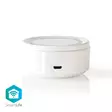


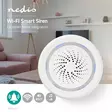




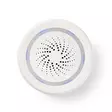


Langaton älysireeni kuuluu alati kasvavaan SmartLife?valikoimaan, jonka avulla teet helposti kodistasi älykkään Wi-Fi-reitittimen ja siihen liitettyjen laitteiden avulla. Vilkkuvilla LED-valoilla... Lue lisää
29,90 €
- Tuotenumero: 5412810296705
- Toimittajan tuotenro: WIFISI10CWT
kpl
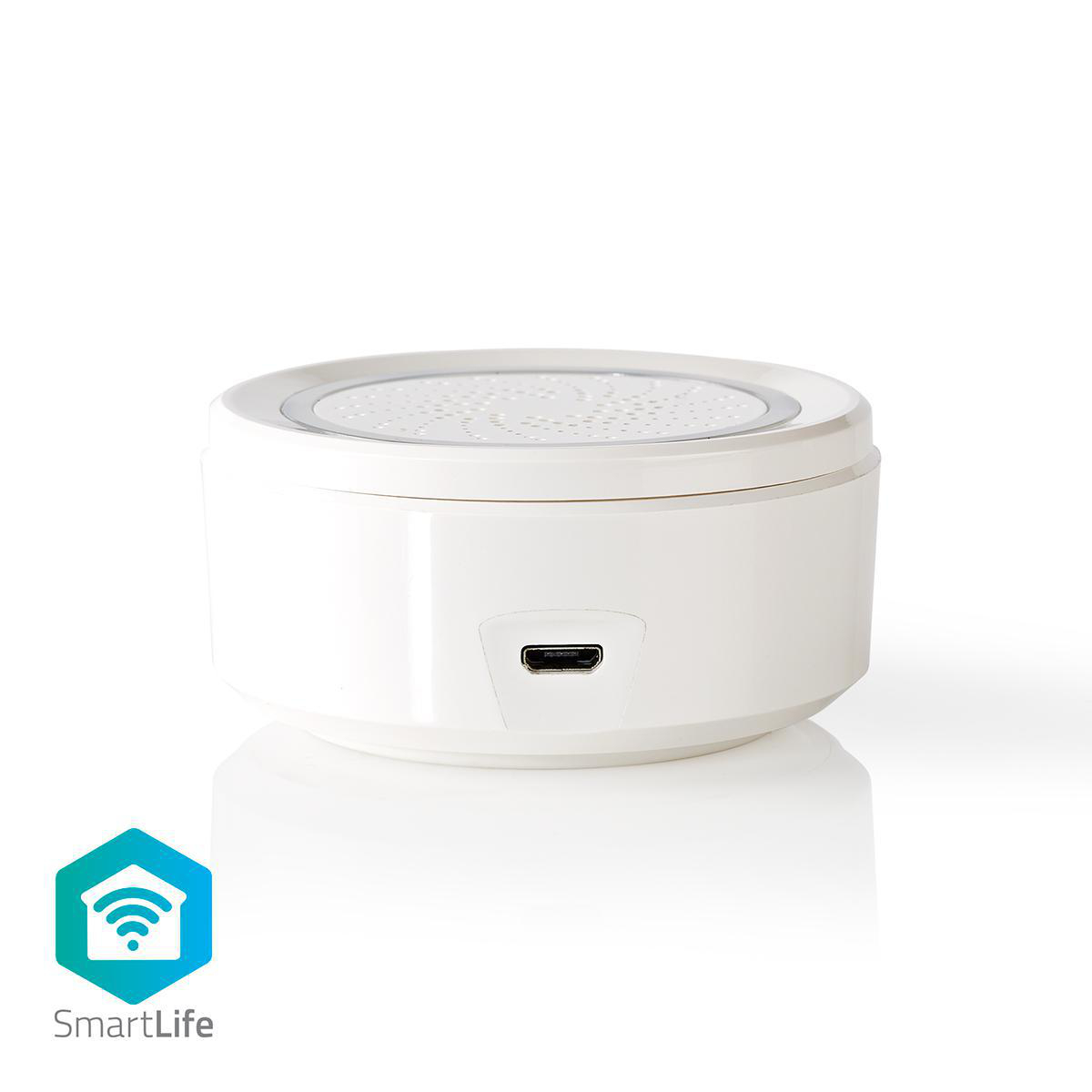
Langaton älysireeni kuuluu alati kasvavaan SmartLife?valikoimaan, jonka avulla teet helposti kodistasi älykkään Wi-Fi-reitittimen ja siihen liitettyjen laitteiden avulla.
Vilkkuvilla LED-valoilla varustettua sireeniä voidaan käyttää ovikellona tai liiketunnistimen havaitseman liikkeen ilmaisimena.
Siinä on kahdeksan erilaista ääntä, jotka voidaan laukaista tiettyyn kellonaikaan, tietyn ajan kuluttua (ajastin), anturin lauettua tai monien muiden toimintamallien mukaan.
Sitä voidaan hallita älypuhelimella, tabletilla tai äänellä (Amazon Alexan tai Google Homen avulla).
Sen äänen intensiteettitaso on yli 85 dB, joten se voidaan määrittää kuulumaan hälyisen huoneen melun yli.
Nedis SmartLife
Löydä laaja ja alati kasvava valikoima tuotteita, kuten lamppuja, katkaisijoita, pistorasioita, antureita ja kameroita, joita voi ohjata helppokäyttöisellä ja intuitiivisella sovelluksella. Koska ääniohjaus tukee Amazon Alexa- ja Google Home -järjestelmiä, etkä tarvitse muuta kuin nykyisen Wi-Fi-verkkosi, saat yhdistetyn älykodin helposti.
Etsitpä sitten yksittäistä älylamppua tai -pistorasiaa tai haluat automatisoida koko kotisi, tutustu siihen, kuinka helposti saatavilla älyteknologia on nykyään.
Ominaisuudet:
• Mahtuu helposti tilaan kuin tilaan - koko vain 65 x 30 mm
• Yhdistettävissä muihin SmartLife?valikoiman tuotteisiin ja yhteensopiva Amazon Alexan ja Google Homen kanssa
• Kuuluu kaikissa olosuhteissa - äänen intensiteettitaso yli 85 dB
• Sijoittaminen joustavaa - kaapelin pituus 120 cm
Pakkaussisältö:
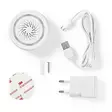
Älysireeni
USB-kaapeli
USB-virtasovitin (EU)
Asennustarvikkeet
Pika-aloitusopas
Product attachment: http://www.youtube.com/watch?v=ThEvVbl0hUQ
Product attachment: http://www.youtube.com/watch?v=c8r2AaxTTU0
Product attachment: http://www.youtube.com/watch?v=v92EXJUbVZ4
Product attachment: http://www.youtube.com/watch?v=Gl2heEacBeY
Product attachment: http://attachments.content4us.com/datasheets/WIFISI10CWT_MAN_COMP.PDF
Product attachment: http://www.youtube.com/watch?v=JQ_Vd992LvU
Product attachment: http://attachments.content4us.com/datasheets/WIFISI10CWT_MAN_COMP_0321_web.PDF
Product attachment: http://www.youtube.com/watch?v=LQgN0HWCHH8
Product attachment: http://www.youtube.com/watch?v=WjYzeIAgjhA
Product attachment: http://www.youtube.com/watch?v=M33fu3Sk7VM
Video: http://www.youtube.com/watch?v=Xwzu0InWjCA
Product attachment: http://www.youtube.com/watch?v=46mIAWpijyk
Product attachment: http://www.youtube.com/watch?v=MmPWTXIH2wI
Product attachment: http://www.youtube.com/watch?v=ZCqOhKLz4m4
Product attachment: http://www.youtube.com/watch?v=51p4fEsquZw
Käyttöohje: http://attachments.content4us.com/datasheets/Nedis%20SmartLife%20Manual%20English.PDF
Product attachment: http://www.youtube.com/watch?v=ZgBEet3Miyg
Product attachment: http://www.youtube.com/watch?v=58oOTTR9zRo
Product attachment: http://www.youtube.com/watch?v=o7020p5Ju_k
Product attachment: http://www.youtube.com/watch?v=62mNCPKJkSI
Product attachment: http://www.youtube.com/watch?v=rpBJPBtaGt0
Video: http://www.youtube.com/watch?v=7ZtFO3NMYMM
Product attachment: http://www.youtube.com/watch?v=SZ4wbBg13W8
Product attachment: http://www.youtube.com/watch?v=aJKVLzx7faY
Product attachment: http://productip.com/?f=1A1541
Tuote-esite: https://datasheets.content4us.com/fi-fi/550686456/portrait
Usein kysytyt kysymykset:
How do I make this siren respond to another Smartlife device?
If another Smartlife device can send a trigger (motion detection, buttons being pressed, smoke detected etc) then you can use this signal to trigger the siren.
Create an automation for this.
Tap Smart scenes
tap + > when the device status changes > select the device you want to use to trigger the siren > select what function you want to use as a trigger (more than one is possible)
Tap execute device > select the sires > select switch on + tone + duration
Save
Can I give other people access to my Smartlife devices too?
Yes you can.
Each person needs a unique account on their mobile device.
To add them as "family members" follow these steps:
In the main screen of the app tap on the name of your home (top left)
Tap on Home management
Tap on the name of your home again.
Tap on "add family members" and fill in the account details of the person you want to add.
It will give them access to all the devices in your home as a normal member or admin (you can select this)
If you only want to share a single device in a home, go to the settings menu of the device and select "share device" -> add member.
My Smartlife products lose the Wifi connection every time.
This is probably a Wifi problem, this can be for various reasons.
1.) Wifi signal is unstable.
2.) Wifi signal is too weak.
3.) Using an access point with the same SSID and password that do not support the IEEE 802.11R standards.
Problem 1 can often be solved by restarting the router.
Problem 2 can be checked with an app Wifi analyzer with this the signal can be viewed and corrected to a better position.
Problem 3 can be checked as the access points are turned off, the Wifi signal is still good and the connection remains if the access points are a problem, a Mesh solution can then be used.
Please make sure that they support IEEE 802.11R standard.
How do i add Nedis SmartLife to Google Home?
Add the "Smart Life" service to Google Home (no Nedis in the name).
Go in Google Home to Assistent -> Home Control and choose here "Smart Life" as service.
Use the Login details of the "Nedis Smartlife" app.
Compatible Nedis SmartLife products will then be added to Google Home.
Maximum number of members that can be added to a family.
You can add maximum 20 members.
What is an automation?
An automation can be used to make a certain "event"(condition), trigger another action (Task)
A condition can be anything from motion detection, to a certain time, a certain temperature, sunrise.
Then you can make this condition turn on lights, turn on smart plugs, make a siren sound or a combination of multiple tasks.
Vilkkuvilla LED-valoilla varustettua sireeniä voidaan käyttää ovikellona tai liiketunnistimen havaitseman liikkeen ilmaisimena.
Siinä on kahdeksan erilaista ääntä, jotka voidaan laukaista tiettyyn kellonaikaan, tietyn ajan kuluttua (ajastin), anturin lauettua tai monien muiden toimintamallien mukaan.
Sitä voidaan hallita älypuhelimella, tabletilla tai äänellä (Amazon Alexan tai Google Homen avulla).
Sen äänen intensiteettitaso on yli 85 dB, joten se voidaan määrittää kuulumaan hälyisen huoneen melun yli.
Nedis SmartLife
Löydä laaja ja alati kasvava valikoima tuotteita, kuten lamppuja, katkaisijoita, pistorasioita, antureita ja kameroita, joita voi ohjata helppokäyttöisellä ja intuitiivisella sovelluksella. Koska ääniohjaus tukee Amazon Alexa- ja Google Home -järjestelmiä, etkä tarvitse muuta kuin nykyisen Wi-Fi-verkkosi, saat yhdistetyn älykodin helposti.
Etsitpä sitten yksittäistä älylamppua tai -pistorasiaa tai haluat automatisoida koko kotisi, tutustu siihen, kuinka helposti saatavilla älyteknologia on nykyään.
Ominaisuudet:
• Mahtuu helposti tilaan kuin tilaan - koko vain 65 x 30 mm
• Yhdistettävissä muihin SmartLife?valikoiman tuotteisiin ja yhteensopiva Amazon Alexan ja Google Homen kanssa
• Kuuluu kaikissa olosuhteissa - äänen intensiteettitaso yli 85 dB
• Sijoittaminen joustavaa - kaapelin pituus 120 cm
Pakkaussisältö:
Älysireeni
USB-kaapeli
USB-virtasovitin (EU)
Asennustarvikkeet
Pika-aloitusopas
Product attachment: http://www.youtube.com/watch?v=ThEvVbl0hUQ
Product attachment: http://www.youtube.com/watch?v=c8r2AaxTTU0
Product attachment: http://www.youtube.com/watch?v=v92EXJUbVZ4
Product attachment: http://www.youtube.com/watch?v=Gl2heEacBeY
Product attachment: http://attachments.content4us.com/datasheets/WIFISI10CWT_MAN_COMP.PDF
Product attachment: http://www.youtube.com/watch?v=JQ_Vd992LvU
Product attachment: http://attachments.content4us.com/datasheets/WIFISI10CWT_MAN_COMP_0321_web.PDF
Product attachment: http://www.youtube.com/watch?v=LQgN0HWCHH8
Product attachment: http://www.youtube.com/watch?v=WjYzeIAgjhA
Product attachment: http://www.youtube.com/watch?v=M33fu3Sk7VM
Video: http://www.youtube.com/watch?v=Xwzu0InWjCA
Product attachment: http://www.youtube.com/watch?v=46mIAWpijyk
Product attachment: http://www.youtube.com/watch?v=MmPWTXIH2wI
Product attachment: http://www.youtube.com/watch?v=ZCqOhKLz4m4
Product attachment: http://www.youtube.com/watch?v=51p4fEsquZw
Käyttöohje: http://attachments.content4us.com/datasheets/Nedis%20SmartLife%20Manual%20English.PDF
Product attachment: http://www.youtube.com/watch?v=ZgBEet3Miyg
Product attachment: http://www.youtube.com/watch?v=58oOTTR9zRo
Product attachment: http://www.youtube.com/watch?v=o7020p5Ju_k
Product attachment: http://www.youtube.com/watch?v=62mNCPKJkSI
Product attachment: http://www.youtube.com/watch?v=rpBJPBtaGt0
Video: http://www.youtube.com/watch?v=7ZtFO3NMYMM
Product attachment: http://www.youtube.com/watch?v=SZ4wbBg13W8
Product attachment: http://www.youtube.com/watch?v=aJKVLzx7faY
Product attachment: http://productip.com/?f=1A1541
Tuote-esite: https://datasheets.content4us.com/fi-fi/550686456/portrait
Usein kysytyt kysymykset:
How do I make this siren respond to another Smartlife device?
If another Smartlife device can send a trigger (motion detection, buttons being pressed, smoke detected etc) then you can use this signal to trigger the siren.
Create an automation for this.
Tap Smart scenes
tap + > when the device status changes > select the device you want to use to trigger the siren > select what function you want to use as a trigger (more than one is possible)
Tap execute device > select the sires > select switch on + tone + duration
Save
Can I give other people access to my Smartlife devices too?
Yes you can.
Each person needs a unique account on their mobile device.
To add them as "family members" follow these steps:
In the main screen of the app tap on the name of your home (top left)
Tap on Home management
Tap on the name of your home again.
Tap on "add family members" and fill in the account details of the person you want to add.
It will give them access to all the devices in your home as a normal member or admin (you can select this)
If you only want to share a single device in a home, go to the settings menu of the device and select "share device" -> add member.
My Smartlife products lose the Wifi connection every time.
This is probably a Wifi problem, this can be for various reasons.
1.) Wifi signal is unstable.
2.) Wifi signal is too weak.
3.) Using an access point with the same SSID and password that do not support the IEEE 802.11R standards.
Problem 1 can often be solved by restarting the router.
Problem 2 can be checked with an app Wifi analyzer with this the signal can be viewed and corrected to a better position.
Problem 3 can be checked as the access points are turned off, the Wifi signal is still good and the connection remains if the access points are a problem, a Mesh solution can then be used.
Please make sure that they support IEEE 802.11R standard.
How do i add Nedis SmartLife to Google Home?
Add the "Smart Life" service to Google Home (no Nedis in the name).
Go in Google Home to Assistent -> Home Control and choose here "Smart Life" as service.
Use the Login details of the "Nedis Smartlife" app.
Compatible Nedis SmartLife products will then be added to Google Home.
Maximum number of members that can be added to a family.
You can add maximum 20 members.
What is an automation?
An automation can be used to make a certain "event"(condition), trigger another action (Task)
A condition can be anything from motion detection, to a certain time, a certain temperature, sunrise.
Then you can make this condition turn on lights, turn on smart plugs, make a siren sound or a combination of multiple tasks.
Varasto
Saatavuus
Osoite
Yhteystiedot ja aukioloajat
Oletko ostanut tämän tuotteen?
Ilmainen toimitus pakettilähetyksiin yli 149 €:n tilauksille

Matkahuolto pakettiautomaatti
4,90 €

Matkahuolto pakettipiste
4,90 €

Nouto Postista
5,90 €

Nouto Postin automaatista
5,90 €

Postnord Pakettiautomaatti
5,90 €

PostNord Palvelupiste
5,90 €
Normaalit hinnat

Nouto Pieksämäen varastolta
0,00 €

Matkahuolto kotiinkuljetus
13,90 €

Postin kotiinkuljetus
14,90 €

PostNord Kotiinkuljetus
14,90 €
Tuotteen alin myyntihinta edellisen 30 vuorokauden aikana: 29.9